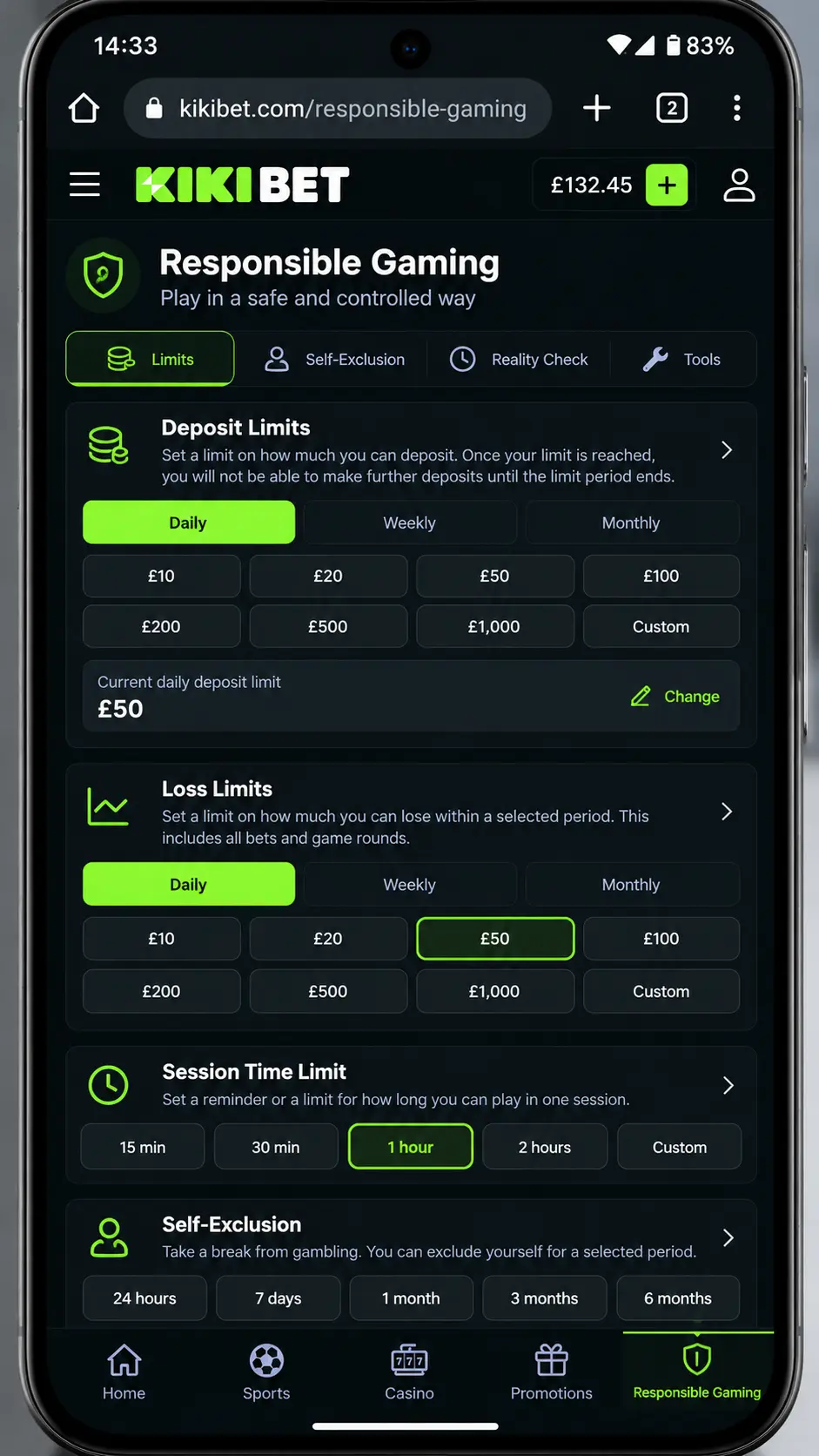

Kikibet runs as a fully responsive web platform that delivers its complete product range — sportsbook, esports betting, live casino, slots, and account management — through a mobile browser without requiring a native application. UK players access Kikibet on iOS and Android by navigating to the site in Safari or Chrome, with the option to install a home screen shortcut that replicates the experience of a dedicated app. The platform processes all deposits and withdrawals in cryptocurrency, which integrates directly with mobile wallet applications and allows players to manage funding entirely from their phone. Browser-based PWA setup, crypto cashier QR codes, live dealer WebRTC streaming, and responsible gambling tools aligned with UKGC standards are all accessible without leaving the mobile browser environment.
How Kikibet Works on Mobile: Browser-Based Access
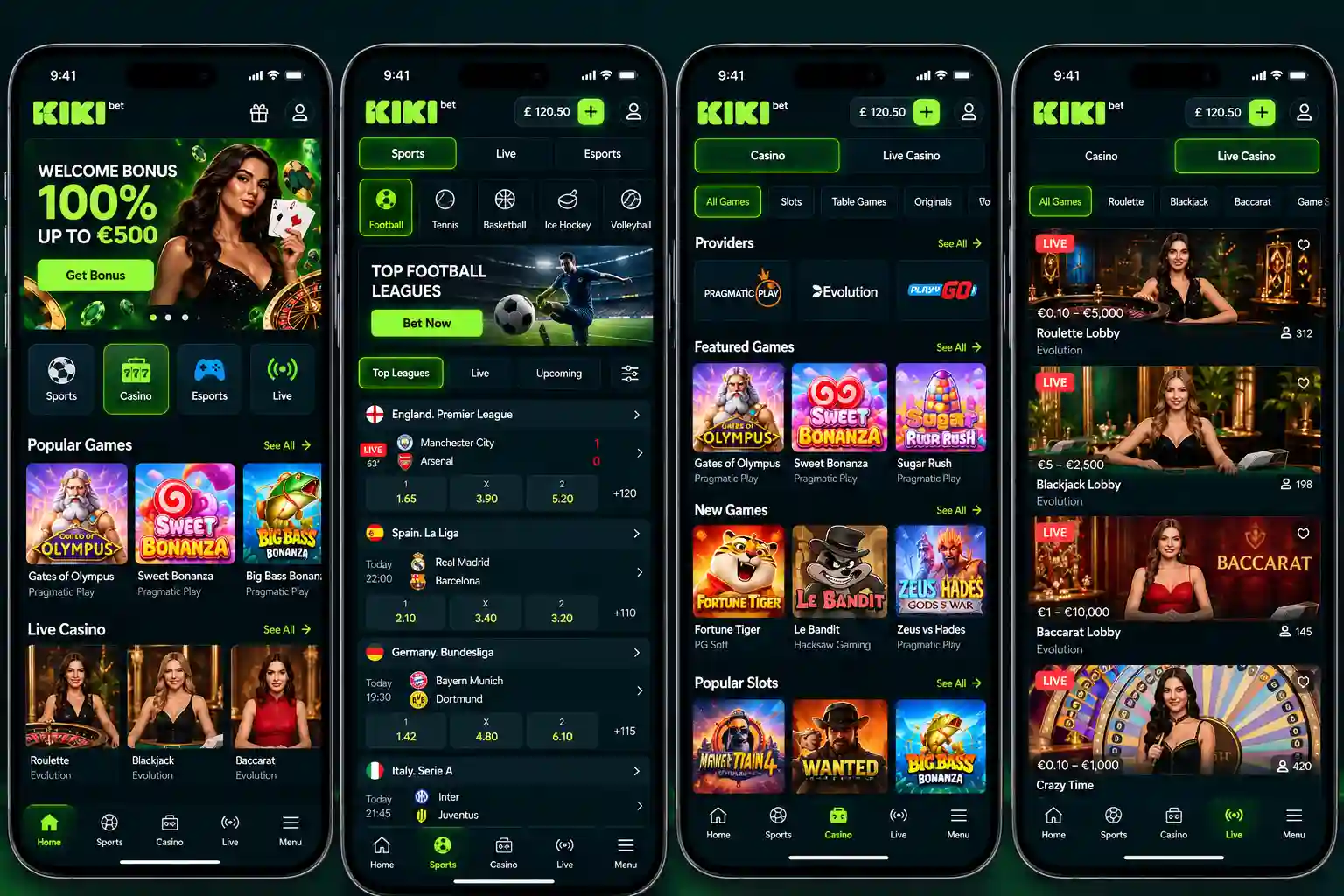
Kikibet does not distribute a native application through the Apple App Store or Google Play. The mobile product is a responsive web application — a single codebase that adapts its layout and controls to the screen dimensions and input method of the device. On a smartphone, this means the full platform functionality is delivered through the browser tab, with touch controls, swipe navigation, and optimised tap targets replacing the keyboard-and-mouse interface of the desktop version. The absence of a native download does not reduce the available product range: every section accessible on desktop — sportsbook, esports betting, live casino, slots, poker, and the crypto cashier — is present in the mobile browser without feature reduction.
The responsive architecture also means that platform updates are applied server-side and immediately visible across all devices without requiring the player to download an app update. This is a structural advantage for an operator that regularly adjusts odds feeds, adds new slot titles, and updates promotional content — changes reach mobile users at the same time as desktop users without an intermediate app release cycle.
Mobile Browser vs Native App: What the Difference Means in Practice
The functional distinction between a browser-based casino and a native app in 2026 is narrower than it was several years ago, primarily because HTML5 game delivery, WebRTC streaming, and PWA technology have collectively addressed the performance gaps that previously favoured native applications. For a player accessing Kikibet on a current mid-range Android or iOS device, the browser experience delivers comparable load times, identical game content, and equivalent live dealer stream quality to what a native app would offer — without occupying storage space on the device or requiring permission grants during installation.
The practical differences that remain are limited to two areas. First, push notifications on iOS are restricted by Apple's platform policies — Safari on iOS does not deliver background push notifications in the same way Chrome on Android does, meaning live event alerts or promotional notifications are less reliably delivered on iPhone compared with Android. Second, a browser shortcut does not appear in the device's app library alongside native applications, which is a minor navigational inconvenience for players who prefer to keep their frequently used apps in one organised place. Neither limitation affects the gambling product itself.
Performance on Current Smartphones
Kikibet's mobile interface is optimised for performance on devices running iOS 15 or later and Android 10 or later, which together cover the overwhelming majority of smartphones in active use in the UK in 2026. HTML5 slots load within two to four seconds on a 4G connection; live dealer tables connect within three to five seconds once the table interface initialises. The platform does not require Flash, Unity WebGL, or any browser plugin — all game delivery relies on standard HTML5 and JavaScript, which run natively in Safari and Chrome without additional configuration.
Memory usage during a mobile session is moderate by smartphone standards. A standard sportsbook session — browsing markets, placing bets, monitoring live scores — consumes approximately 150–250 MB of RAM, well within the capacity of devices with 3 GB or more of working memory. A live casino session, which adds a continuous WebRTC video feed, increases RAM usage to approximately 350–500 MB but remains stable on mid-range devices without causing application crashes or frame rate degradation.
"The performance threshold between a well-optimised mobile web casino and a native app has effectively converged on current hardware — the remaining differences are in platform-level features such as push notifications, not in the gambling experience itself," according to mobile casino platform analysis published in 2025.How to Add Kikibet to the Home Screen
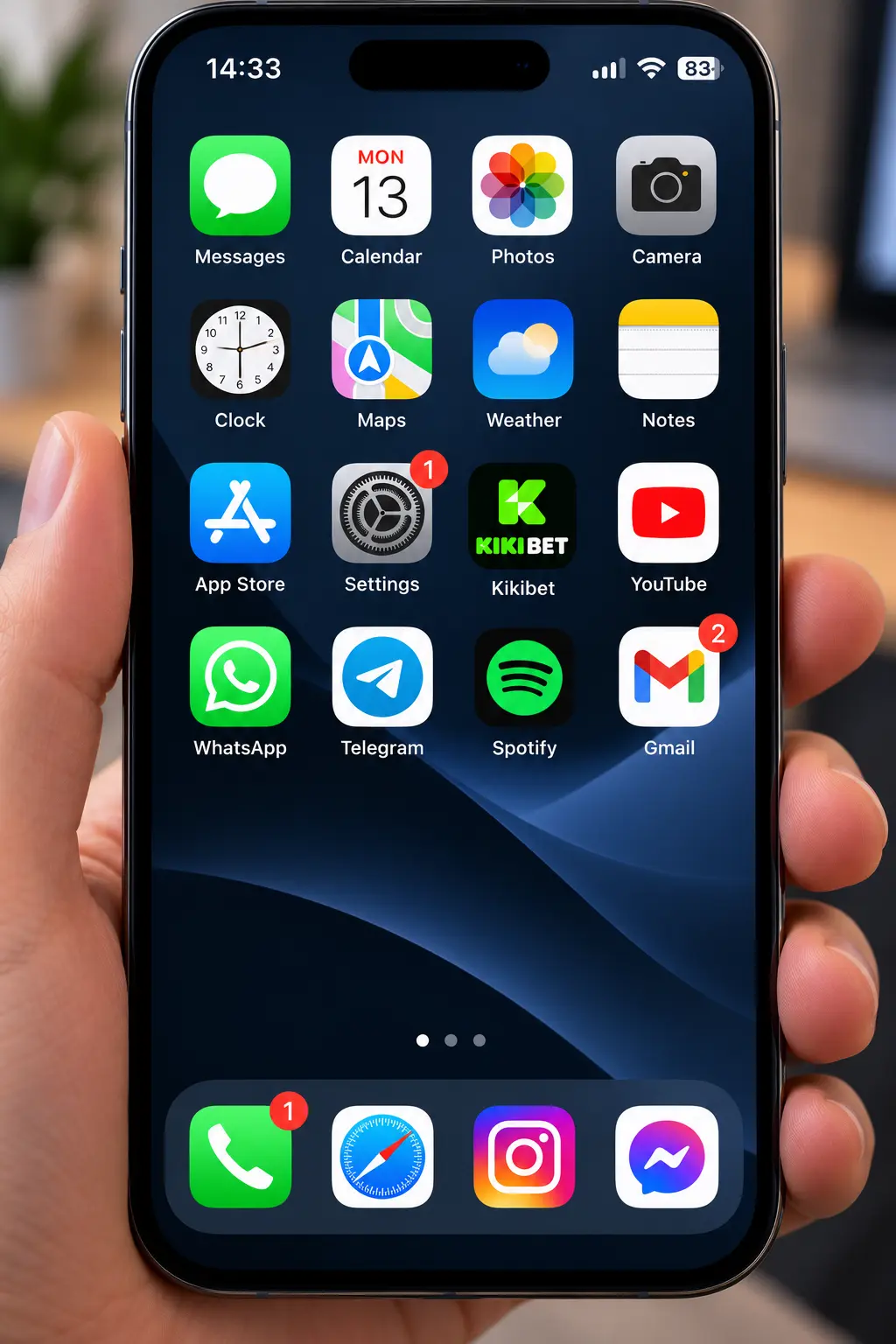
Adding Kikibet to the home screen converts the browser-based platform into a shortcut that launches full-screen, without the browser's address bar and navigation controls visible. The result is a launch experience functionally equivalent to opening a native app — a single tap on the home screen icon opens Kikibet directly in full-screen mode. This setup is optional and does not change any functionality of the platform, but it creates a faster and more visually consistent access point for players who visit the site regularly. The shortcut icon uses Kikibet's own branding, distinguishing it clearly from a standard browser bookmark on the home screen.
The process for installing the home screen shortcut differs between iOS (Safari) and Android (Chrome), as each operating system's browser implements the web app installation interface differently. Both procedures take under a minute and require no download from an app store.
iOS — Adding Kikibet via Safari
Adding the Kikibet home screen shortcut on an iPhone or iPad requires Safari as the browser — the Add to Home Screen function for web apps is not available through Chrome or Firefox on iOS, as Apple restricts PWA installation to its own browser on the platform. The installation procedure takes four steps and does not require an Apple ID or any app store interaction.
- Open Safari and navigate to the Kikibet website.
- Tap the Share button (the square icon with an upward arrow) at the bottom of the screen.
- Scroll down the share sheet and tap Add to Home Screen.
- Confirm or edit the shortcut name — "Kikibet" is pre-populated — then tap Add in the upper right corner.
From iOS 16.4 onwards, push notification support for web apps was introduced, though delivery remains subject to the user granting notification permission when prompted and to Apple's background app refresh policies. On iOS 17, web push notifications for home screen shortcuts are enabled by default when the user accepts the initial permission request on launch.
Android — Adding Kikibet via Chrome
On Android devices, Chrome handles the home screen shortcut installation and provides a more integrated PWA experience than iOS Safari. Chrome detects that Kikibet is a web app candidate and may display an automatic "Add to Home Screen" banner at the bottom of the browser window after a brief browsing session. The shortcut can also be installed manually at any time: open Chrome, navigate to the Kikibet site, tap the three-dot menu in the upper right corner, select Add to Home Screen, confirm the name, and tap Add. Chrome places the icon on the home screen and optionally in the app drawer, depending on the Android launcher in use.
On Android, push notifications from the Kikibet home screen shortcut are fully supported — players receive in-browser notifications for live event updates and promotional alerts once notification permission has been granted. This is a meaningful functional advantage over the iOS installation: Android players who want background alerts from the platform receive them without additional configuration beyond the initial permission grant.
What Changes After Adding Kikibet to the Home Screen
Launching Kikibet from the home screen shortcut opens the platform in a standalone browser context — the browser's address bar, back button, and tab bar are hidden, producing a full-screen interface that occupies the entire display. Functionally, the platform is identical to accessing it through the browser directly: the same account, balance, game content, and cashier are present. The change is presentational — the shortcut removes the browser chrome from the viewport, increasing the usable screen area for the platform's own navigation and game content.
Session continuity is maintained between the browser and the home screen shortcut. A player who was logged in via Safari or Chrome and then launches from the home screen shortcut will find their session active without requiring a new login, as the shortcut shares the same browser storage and session cookies as the originating browser. This applies on both iOS and Android.
Navigating Kikibet on Mobile: Interface and Features
The Kikibet mobile interface is structured around a bottom navigation bar on phones and a condensed top menu on tablets, giving one-tap access to the main product sections from any screen. The layout prioritises the sportsbook and casino sections as primary entry points, with the live casino, esports, and account functions reachable within one additional tap. Search functionality, game filters, and bet slip management all operate through touch-optimised controls — swipe gestures, pinch-to-scroll on game grids, and expandable bet slip overlays — without requiring a keyboard at any stage of standard platform navigation.
| Feature | Mobile Browser | Desktop |
|---|---|---|
| Full sportsbook and esports markets | ✓ | ✓ |
| Live in-play betting | ✓ | ✓ |
| Live casino streams | ✓ | ✓ |
| Slots and table games | ✓ | ✓ |
| Cryptocurrency cashier | ✓ | ✓ |
| Account settings and KYC upload | ✓ | ✓ |
| Push notifications | Limited (iOS) / Full (Android) | Browser only |
| Multi-window bet slip | Single window | Multi-window |
Sportsbook and Esports Betting on Mobile
The sportsbook section on mobile presents event listings in a vertically scrolled format with collapsible market groups beneath each fixture. Pre-match and live in-play markets are separated by a toggle at the top of the section, and the live betting interface updates odds in real time without requiring a page reload. Bet slip management on mobile follows a drawer pattern — the active slip is accessible via a persistent counter at the bottom of the screen — which keeps the market view unobstructed while a selection is being built.
Esports betting on mobile covers the same market depth as the desktop version: pre-match and live markets across CS2, Dota 2, League of Legends, Valorant, and other titles. Match statistics, team form data, and streaming links where available are accessible within the mobile event view. The esports section is particularly well-suited to mobile access given that a significant portion of the esports audience already consumes match content on a phone — the Kikibet mobile interface does not require switching to a desktop device to place a bet during a live match viewed on a separate screen.
Casino, Slots and Live Dealer on Mobile
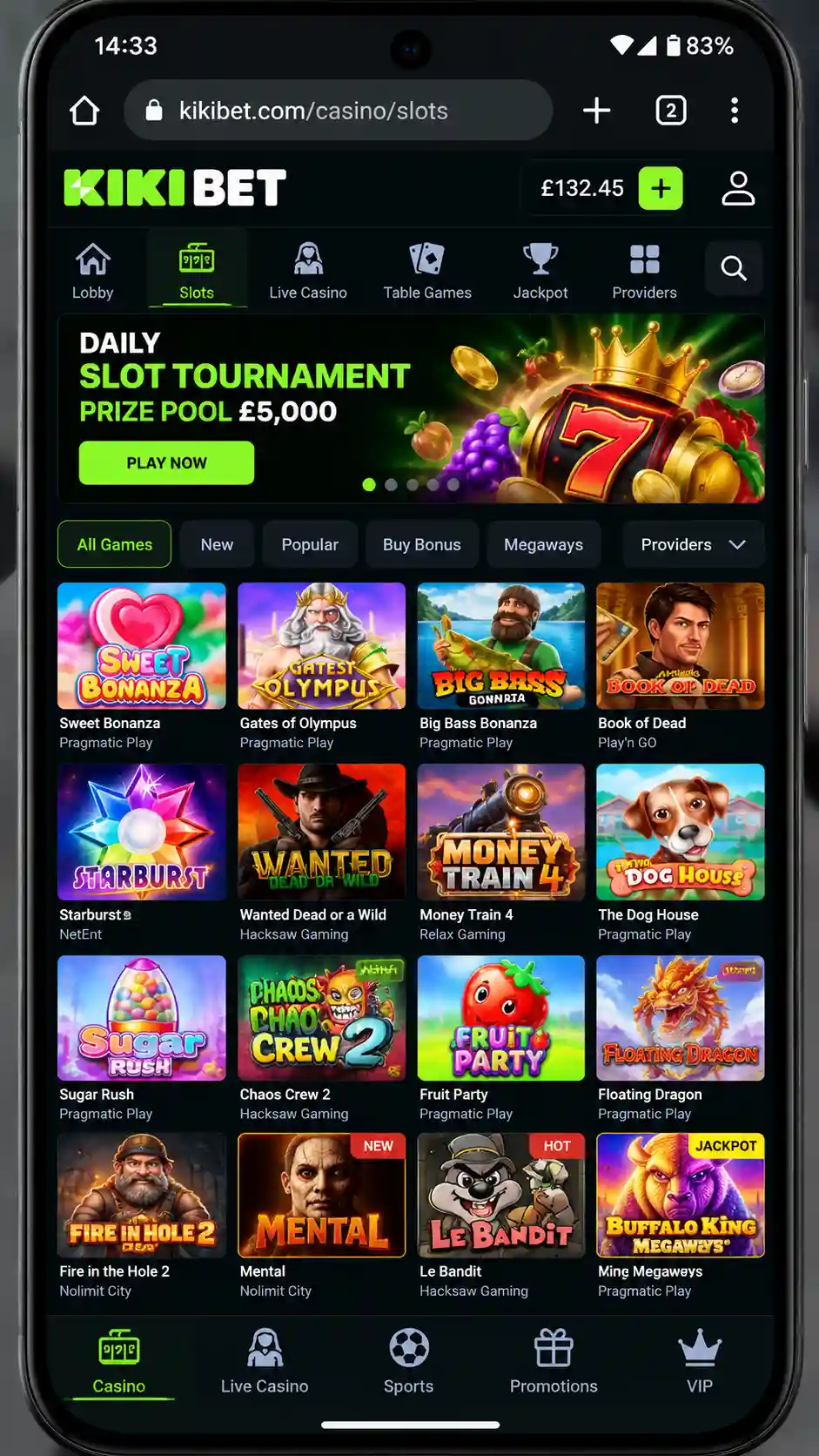
The casino section on mobile presents game tiles in a responsive grid that adjusts column count based on screen width — typically three columns on a standard phone in portrait orientation, four in landscape. Game provider filters, RTP sorting, and favourites functionality all operate in mobile view. Slots from providers including Pragmatic Play, Play'n GO, and Hacksaw Gaming load within the browser in HTML5 format without requiring Flash or any additional plugin.
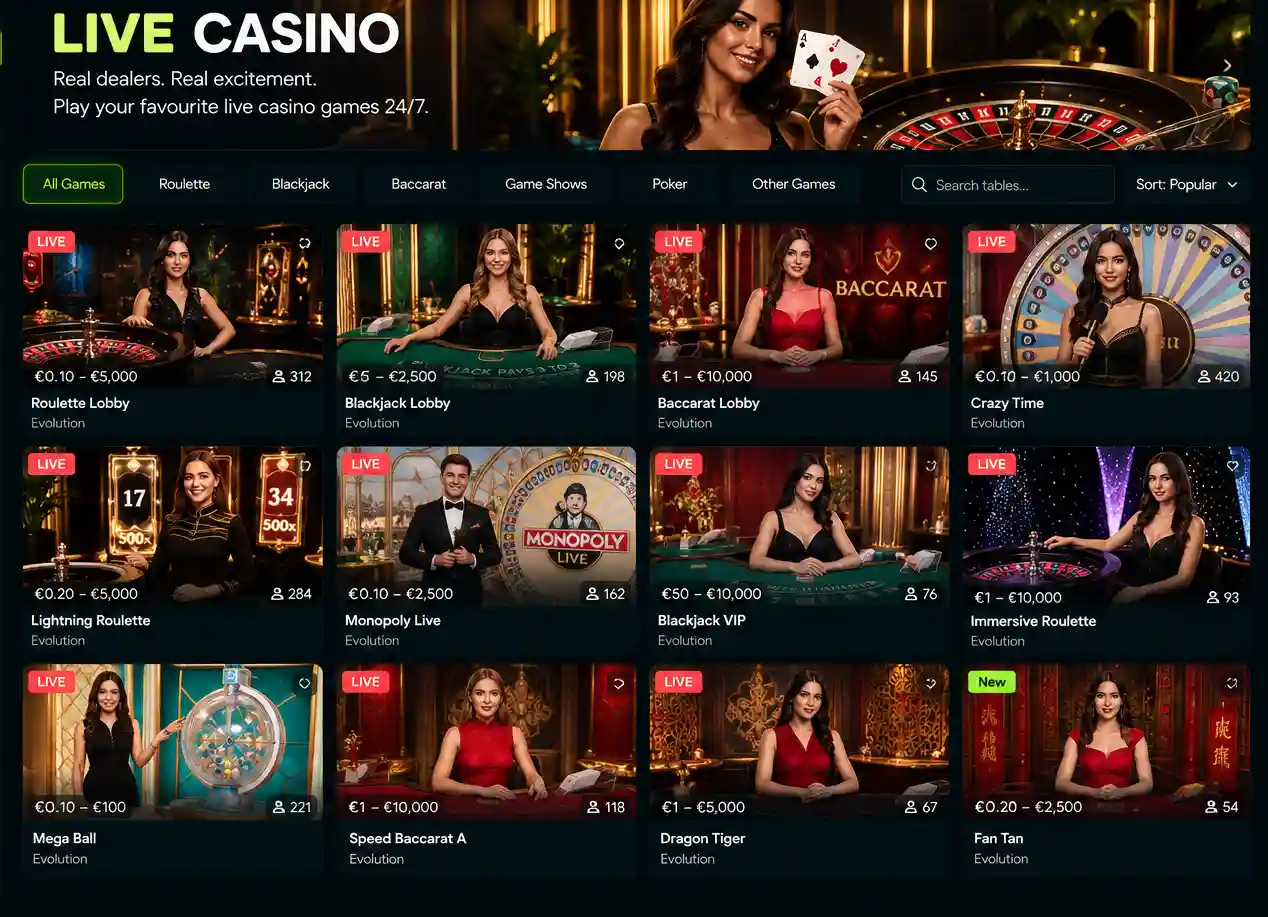
"HTML5 slot delivery has effectively eliminated the performance gap between mobile browser and native app casino experiences for the majority of the game catalogue — load times and render quality are equivalent on current mid-range devices," according to independent platform assessments of mobile casino delivery published in 2025.The live casino section streams dealer tables through the device's browser using WebRTC technology, which is natively supported by Safari and Chrome without additional configuration. Stream quality adjusts automatically based on available bandwidth. Live tables from Evolution Gaming and Pragmatic Play Live — including live blackjack, live roulette, and game show titles — are fully playable on mobile, with chat functionality and betting controls positioned to avoid obstructing the video feed on standard phone screen ratios.
Account Management, Cashier and Notifications on Mobile
Account settings, KYC document upload, deposit and withdrawal history, and active bonus tracking are all accessible through the mobile account menu without feature reduction relative to the desktop version. Document upload for KYC verification is particularly convenient on mobile — the device camera integrates directly with the upload prompt, allowing players to photograph a passport or utility bill and submit it immediately without transferring files from a desktop machine.
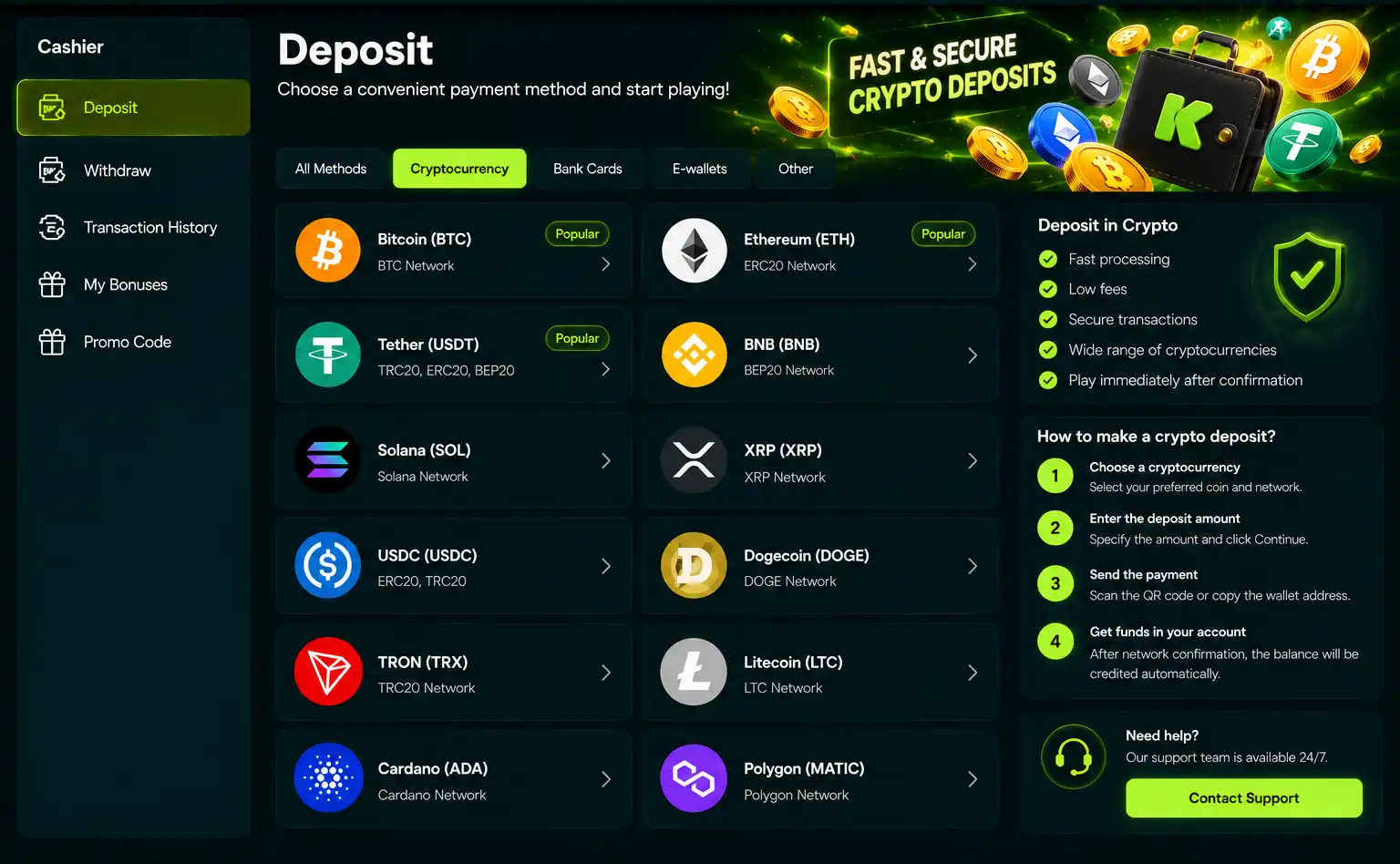
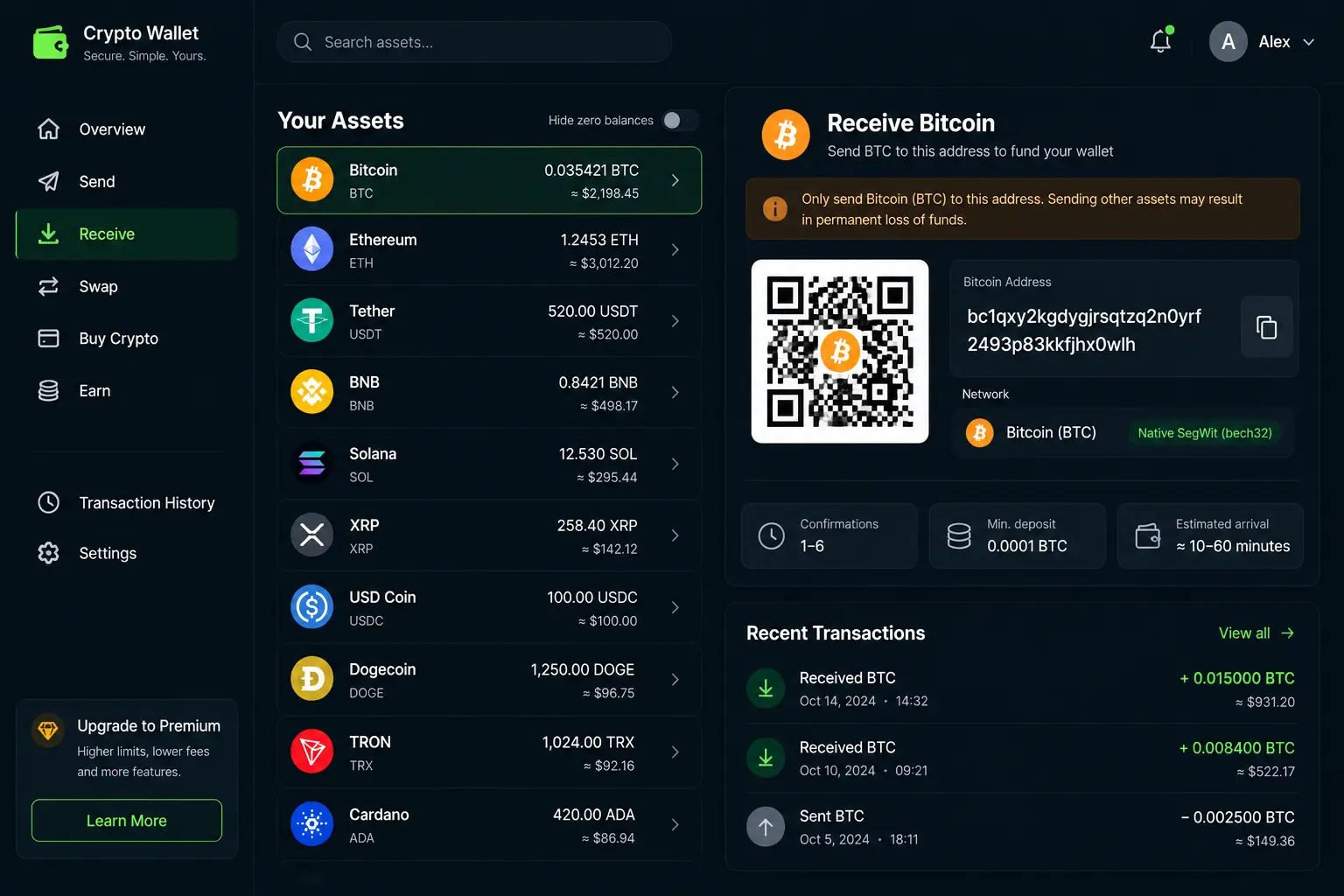
The mobile cashier presents cryptocurrency deposit addresses as QR codes as well as text strings, which allows direct scanning from a mobile wallet application on the same device or from a separate device holding the player's crypto balance. Withdrawal requests are initiated and confirmed entirely within the mobile browser, with the on-chain transaction hash provided as confirmation once the request is processed.
Mobile Crypto Deposits: Sending from a Wallet App on Your Phone
Depositing at Kikibet from a mobile device involves two applications on the same phone: the Kikibet platform open in a browser tab, and the player's cryptocurrency wallet application. The process is more streamlined on mobile than on desktop precisely because the wallet and the casino cashier are on the same device — the deposit address QR code displayed in the Kikibet cashier can be scanned directly by the wallet app's built-in camera scanner without needing to copy a long alphanumeric address string manually, which reduces the risk of entry error.
The minimum qualifying deposit to activate the welcome bonus is £20 equivalent in cryptocurrency, calculated at the prevailing exchange rate at the point of on-chain confirmation. Players depositing in USDT on the TRC-20 network will find the process fastest on mobile: the Tron network confirms transactions within one to three minutes, and USDT's stable peg means the £ equivalent credited to the account matches the intended amount without price drift during the confirmation window. Bitcoin deposits take longer — between ten and sixty minutes depending on network congestion — but are suitable for larger deposits where confirmation speed is less time-sensitive.
"Mobile users depositing via stablecoin networks with minimal fees — TRC-20 in particular — gain a practical advantage on smaller deposits, as the transaction cost does not consume a meaningful proportion of the deposited amount," according to crypto payment platform analysts in 2025.Mobile wallet applications that support QR code scanning from the camera — including Trust Wallet, MetaMask Mobile, and Coinbase Wallet — are compatible with the Kikibet cashier's QR-based deposit flow on both iOS and Android. Players whose wallet is held on a separate device — a hardware wallet or a desktop application — should copy the deposit address as a text string rather than scanning, taking care to verify the first and last four characters of the address before confirming the transaction, as cryptocurrency transfers are irreversible once broadcast to the network.
Browser Compatibility and Mobile Performance
The Kikibet platform operates as a responsive web application, which means that compatibility depends on the browser's HTML5 rendering capabilities rather than a dedicated installation. Across the mainstream mobile browsers in use in the United Kingdom in 2026 — Chrome for Android, Safari for iOS, Samsung Internet, and Firefox Mobile — the platform renders without layout breakage or functional limitations. The live casino section, which streams dealer feeds via WebRTC, requires a browser that supports this technology natively; all four of the above do so without additional configuration.
One consideration worth noting is that push notifications from the home screen shortcut function reliably on Chrome for Android and Samsung Internet, while iOS Safari limits background push delivery due to platform constraints partially addressed across iOS 16–17. The notification toggle within the Kikibet account settings reflects what the installed browser on the device will actually deliver to the player.
| Browser | Platform | Live Casino (WebRTC) | Home Screen Shortcut | Push Notifications |
|---|---|---|---|---|
| Chrome 124+ | Android | ✓ | ✓ | ✓ |
| Safari 17+ | iOS | ✓ | ✓ | Limited |
| Samsung Internet 24+ | Android | ✓ | ✓ | ✓ |
| Firefox Mobile 125+ | Android / iOS | ✓ | ✗ | ✗ |
| Edge Mobile 124+ | Android / iOS | ✓ | ✓ | ✓ |
Loading Speed and Data Consumption on Mobile Networks
The Kikibet platform is served over HTTPS with HTTP/2 delivery, which compresses and parallelises asset loading, reducing initial load time relative to older protocols. On a standard 4G connection, the sportsbook lobby and casino game grid load within two to four seconds under typical conditions. Live dealer streams adapt to available bandwidth automatically — on 4G, HD stream quality is maintained; on 3G, the bitrate drops to prevent buffering, with a modest reduction in visual sharpness as the trade-off.
For players on capped mobile data plans, the live casino section is the highest-consumption feature: a one-hour live blackjack session uses approximately 400–600 MB depending on stream quality. Sportsbook and slots sessions are considerably lighter — a one-hour sportsbook session involves approximately 20–40 MB, as no continuous video feed is required. Players seeking to reduce data usage can connect to Wi-Fi before opening a live dealer table or adjust stream quality from within the live lobby settings.
Responsible Gambling Tools Available on Mobile
UKGC-licensed operators are required to make responsible gambling controls accessible without requiring a desktop session, and Kikibet fulfils this requirement through its mobile account settings. All self-exclusion, deposit limit, session limit, and loss limit controls are reachable from the account menu in the mobile browser. Changes to deposit limits take effect immediately when the new limit is lower than the current one, and after a mandatory 24-hour cooling-off period when it is higher — consistent with UKGC requirements for limit increase delays.
The self-exclusion function on mobile connects to GAMSTOP, the UK's national self-exclusion scheme, allowing a player to request exclusion from all UKGC-licensed operators through a single step from the Kikibet account menu. Reality checks — on-screen notifications displaying session duration at intervals set by the player — function within the mobile browser session identically to the desktop version, appearing as an overlay with the option to continue or end the session.
- Deposit limit (daily, weekly, monthly): applies immediately when reduced; 24-hour delay when increased.
- Loss limit: same update rules as deposit limits.
- Session time limit: ends the active session and requires re-login when the set duration expires.
- Cooling-off period: temporary voluntary pause from 24 hours up to six weeks.
- Self-exclusion via GAMSTOP: applies across all UKGC-licensed operators simultaneously.
Age verification is conducted during the registration process and, where applicable, at the cashier stage. Documents can be submitted via the mobile camera upload function directly from the account settings without requiring a desktop device.